✍️
AI-written webinar scripts
Start with a topic, prompt, document, URL, or existing recording and generate a structured talk to review and refine.
Meet EverPitch: a platform designed to help you turn a topic, document, link, or existing recording into a webinar with an AI-written script, designed slides, voice narration, and automated delivery.
Prices and inclusions are based on the supplied launch materials and may change. Confirm the current offer and terms on the checkout page.


EverPitch combines AI-assisted webinar production with tools intended to help you publish, schedule, and deliver the presentation.
Start with a topic, prompt, document, URL, or existing recording and generate a structured talk to review and refine.
Generate a slide deck and customize slide layouts, headlines, images, scripts, and brand colours in the editor.
Choose from the advertised voice options and create narrated presentations. Always listen through and check pronunciation.
The supplied product materials advertise 87 supported languages and translated, re-voiced webinar versions.
Set scheduled or on-demand sessions, with registration pages, reminders, calendar invitations, and replay pages.
The webinar host is designed to answer viewer questions aloud using the webinar's content as its information source.
You do not necessarily need to begin with a blank page. The supplied product information describes several ways to start a webinar project.
Watch the product walkthrough to get a better feel for the workflow and interface before visiting the offer page.
Demo video hosted on Vimeo. If the player does not load, watch it directly on Vimeo.
The exact time and output will depend on your source material, settings, and how much editing your presentation needs.
Enter a prompt or bring a document, link, or recording.
Create the script, slides, and AI narration, then review the result.
Configure registration, reminders, scheduling, and replay options.
Share the registration link and review available engagement analytics.
These are the advertised launch offers from the supplied materials. Check the live checkout pages for current pricing, exact inclusions, and terms.
For trying the core webinar creation and automation workflow with a Commercial license.
For buyers who also want the content library and agency-oriented upgrades included in the package.
The supplied launch materials also list optional upgrades, including Credit Boost ($77/year), DFY Webinars ($67 one-time), Kit Vault ($47 one-time), Agency ($77 one-time), and Ultra ($97/year) when purchased separately. Prices and availability can change. Verify before checkout.
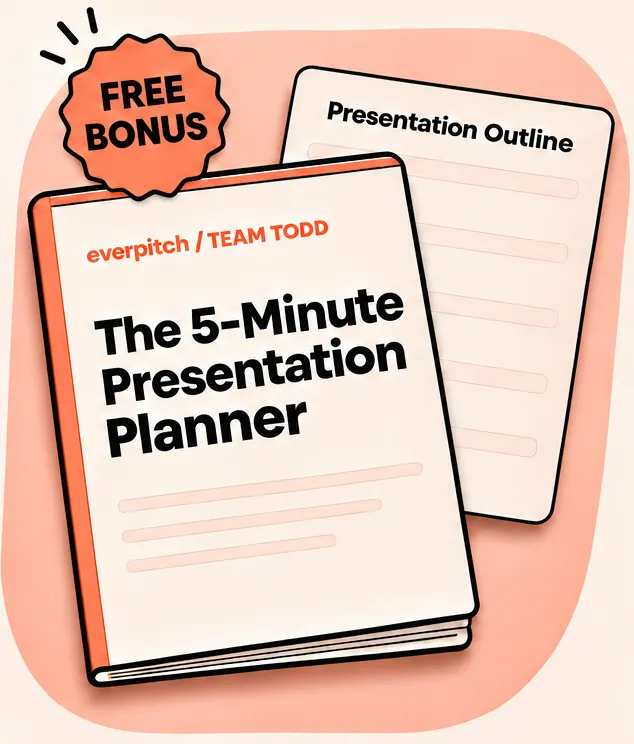
The supplied product artwork highlights a 5-Minute Presentation Planner. The offer materials also describe a First 7 Days Playbook, a bank of 100 webinar titles and hooks, and a seven-email after-webinar follow-up pack. Confirm which bonuses are included with your selected checkout option.
View the offer details →AI can save production time, but the final webinar still needs your judgement and quality control.
Check statistics, testimonials, product statements, and examples in AI-generated scripts before publishing.
The supplied materials estimate about 40 credits per minute of new webinar content. Editing and premium actions may use more.
Some capabilities have separate prices or annual renewals. Read the checkout details rather than assuming every upgrade is included.
Evergreen delivery and AI answers can be useful, but they are not a substitute for every kind of real-time human interaction.
If using simulated audience features, keep them clearly distinguished from genuine registrations and viewer participation.
The supplied materials advertise a 30-day money-back guarantee. Review the current refund conditions and service terms at checkout.
A few quick answers to help you make a more informed decision.
EverPitch is an AI-powered webinar creation and automation platform. Its advertised workflow can turn a topic, document, link, or recording into a presentation with a script, slides, and voice narration, then help schedule and deliver it.
The supplied launch materials list the Commercial offer at $37 as a one-time payment. Check the live checkout page for the current price and terms.
The supplied materials describe Commercial, DFY Webinars, Kit Vault, Agency, three bonuses, and 8,000 monthly credits. Ultra is not included in the Bundle.
The Commercial offer is advertised with 3,000 monthly credits. The Bundle is advertised with 8,000 monthly credits. Confirm credit usage, refresh rules, and any exclusions in the current offer terms.
The supplied product information describes starting with prompts, documents, PDFs, website links, and existing webinar recordings. Check supported file types and upload limits in the app.
The supplied materials advertise 87 supported languages and translated, re-voiced webinar versions. Review the generated narration for accuracy and natural delivery before publishing.
It is designed to automate parts of webinar creation and delivery, including spoken AI Q&A. It may not replace a human host when your event depends on spontaneous live discussion or personal interaction.
The supplied offer materials advertise a 30-day money-back guarantee. Read the current guarantee terms and refund process on the official checkout page before buying.
Watch the demo, compare the Commercial and Bundle options, and review the current offer details before choosing.